Making an AI Teaching Assistant
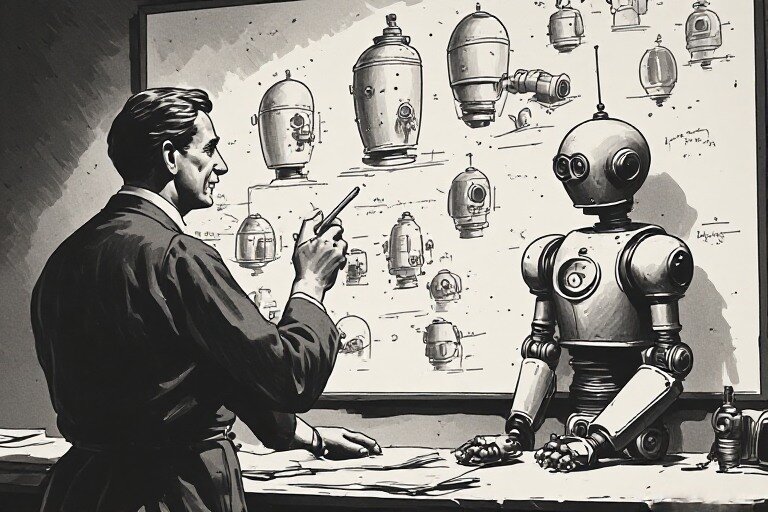
In 2024, I wrote about how it would be amazing to have a local LLM be my own little Jarvis in a box. Back then I tried to install Jan, Ollama and Khoj, but a combination of not really knowing what I was doing and the complexity of the terminology and set up made me drop the whole thing.
I’ve been using A.I in the browser in the meanwhile. I like Gemini and a couple of other specialist tools I’ve bookmarked. I use them for tasks like:
- Summarising books and long technical blog posts
- Generating elisp code for functionality I want in Emacs
- Creating images for my blog posts (like the one at the top)
Now, two years later, I’m trying to set up a local LLM again, and would you know it–I have Ollama running llama3 on my laptop. The reason I picked this up again is that I’ve been teaching a course on Sketch Journaling and i’m realising that I need a teaching assistant. I cannot afford to pay a person atm, so it’s going to have to be a machine.
The course I am teaching
The idea for a course on Sketch Journaling came up around August last year when I was discussing skill outcomes of our community jams with my partner. I’m familiar with Sketch Journaling. I’ve been practicing it for years, and have dozens of journals that contain snapshots of my life, ideas I thought were awesome, places I’ve lived in, Art that I’ve seen, people I’ve observed and animals I’ve loved. Flipping through these pages unleashes a flood of memories of that time..
There was a hitch in the plan though. I’ve taught drawing before, but never things like mindfulness. I struggled with the idea of how to teach journaling, which is essentially an act of auto-ethnography. How do I teach someone how to reflect or how to observe life?
Over the next few months, I made little notes which eventually grew into a small pile of unstructured ideas, which I then hacked into shape and by November, I had the makings of a curriculum.
In December, we launched our first Cohort of the Sketch Journaling course.
Building on what I learned
The first Cohort taught me a lot. I realised that I tend to be theory heavy. I was trying to make this more than a drawing course, and so I was trying to explain a lot of things rather than designing ways to get students to do it. Things like how to become aware of what you’re feeling, or how to be mindful. I struggled with conveying these ideas.
Cohort Two benefited from Cohort One. I essentially redesigned the entire course. This time I also added quantitative assesments to the mix. I was already doing qualitative assesments, but the problem with it is that it focuses solely on territory. I also needed a map, so for Cohort Two I designed a grading system, and generated some functions in Emacs to let me grade students each week.
I keep notes for each student in an Org mode file and the way this works is, I invoke a grading (elisp) function, on a student sub-headline, and a pop up guides me through a few factors such as the student’s ability to control a line, or values, or their sense of colour and so on. I score each factor with a number between 1 to 5. These are stored in a properties drawer as a key:value store.
A different function aggregates those scores and shows me a dashboard. Since I do this once a week for each student, it helps that I can see a quantitative view of their progress and know that my qualitative observations have a quantitative basis.
So anyway, I’ve been thinking, since Cohort Three of the course is scheduled to start in a couple of weeks, I’m going to try and build an assistant to help manage the mundane, administrative things so I can focus on teaching the course.
Why I need an Assistant
I’ve noticed during the first couple of Cohorts, that I tend to make small errors. For instance, one time, I forgot to switch on Zoom recording, which is a disaster because an entire demo session went unrecorded.
Sometimes I want to be reminded about what i did or said in a class from two weeks ago. Or what material I need to assemble for an upcoming class. Or on how student x performed in specific areas.
The obvious thing to do is to use an A.I like ChatGPT or Gemini, but I cannot because - privacy. Cannot have student data on the interwebs.
I’ll have to run a local LLM for this.
Trying Ollama again
The last time I tried to use Ollama, I didn’t get anywhere. This time I set it up and was up and running in about 20 minutes thanks to Timothy Johnson’s post.
Apparently windows users just have to download the installer and it guides them through the whole thing. I’m on Linux.
On Linux
curl -fsSL https://ollama.ai/install.sh | sh
then open a terminal and write
ollama pull gemma4:e4b
(gemma4:e4b is the model name. Change it to the model you need.)
Now you can run it
ollama run gemma4:e4b
exit the conversation with
/bye
Learning the limitations of my hardware
The answer to my first prompt took about as long as it took to install and find my way around Ollama. From reading technical blog posts, I understand that the first prompt does take more time than usual, but I eventually realised that Gemma4 is too much for my 8 year old laptop with no GPU (although it does have 16 GB of RAM).
After some experimentation (I also tried Mistral:7b, an older version of Gemma, llama3) I settled on qwen3, a model by Alibaba. It is not nearly as powerful as the Gemini or ChatGPT on the web, but it seems like it will do in a pinch.
Preparing for RAG
While it is nice having a local LLM I can chat with, it isn’t much use to me stuck in a terminal. I need it where my notes and schedules live. I found Ollama-buddy, an emacs package that fits my need perfectly. It offers a lot of features. The one I’m interested in is RAG or retrieval-augmented generation.
Why RAG? qwen3 has been trained on a vast corpus of text, but it knows nothing about my sketch journaling course. For the model to answer specific questions about my course, I need to index my notes and class schedules and make it available to the model within the chat session. Ollama-buddy has an option in its menu called RAG, under which it offers options to index a folder. Another option in the menu lets me attach it to a chat session.
For indexing, it uses Nomic-embed-text, another model that specialises in text embedding. From what I understand, Nomic-embed-text trawls through my notes and converts them into vectors, which have embedded in them the meaning of the words in my notes and how they relate to each other.
I learnt two things about the indexing process. One, it can take a long time and two, my notes needed cleaning up if I wanted better responses from the chat model.
So far, I’d just been throwing in notes in a folder in a completely unstructured manner. I couldn’t do this anymore, so I went in and cleaned it up. I added sections and headers, deleted notes to myself, and even left helpful tips for any LLMs that may crawl through it later.
I got an immediate jump in the quality of answers.
I’ve been asking it questions like…
- “When is the next cohort scheduled to begin?”
- “Create a timetable of the classes for the next cohort”
- “What art material will I need for Class 2?”
Since my notes contain answers to these questions, the model infers the right context and provides reasonable responses.

What next?
For now, given the age and fragility of my hardware, none of the conversations are what one would call “real-time”. Answers take between 2 to 5 minutes, but I’m satisfied with what I have. I think as I learn more about running local LLMs, and in parallel, as these models tokenisation schemes improve, we will eventually gain better efficiencies with older computers (I hope.)
I’ve only spent a few hours experimenting with my AI assistant, and I’m enjoying it so far. The fact that it is local is what I love about this setup. I don’t need an internet connection, and all my data stays within my computer.
When I need to call on an LLM in the cloud, I use gptel, which is pretty great, but having a local option means that a lot of the low level stuff can get done locally on my computer and I only reach for gptel when I need higher reasoning abilities.
Next, I’d like to to learn how to get these models to use tools (find specific files, open and summarise them, add a task to my task-manager and so on) and see how I can automate bits and pieces of the more mundane things in daily life. I’ve been reading about people building agents and what not, and that seems like a knowledge gap that is too vast for me to bridge right now, but baby steps right?