Managing Stuff in Org mode
Stuff is information that enters your life with no specific purpose. At first, it is never clear what stuff means or what you should do with it. Sometimes it evolves at alarming speeds. It could turn into a project, a speaking event or an insight that could spark a new venture overnight. Or it could crawl, and sulk and drop dead one day.
The maddening thing about stuff is the uncertainty. It takes time for stuff to reveal any sort of pattern, and order only arises when you engage with it over time.
How does stuff come about? Imagine you’re flying somewhere and get to chatting with the passenger next to you. It looks like you can work together sometime, maybe, so you exchange phone numbers and agree to stay in touch.
That’s stuff entering your life.
When stuff comes in, it is rarely clear what form it will eventually take. Most productivity applications cannot deal with this sort of ambiguity. They need you to define what stuff is before you can do something with it. Is it a note or is it a task? Should you think of it as an upcoming event? Does it start with an email?
Now you’re forced to duplicate information across different applications. You jot down ideas in Evernote, create a task in Todoist, setup a future event in Google calendar, you draft an email…
You duplicate information because you think it may be important in the future. You don’t want to forget it, but you really have other things to do right now. Duplicated information creates confusion and demands far more cognitive overhead to maintain.
Org mode can fix that
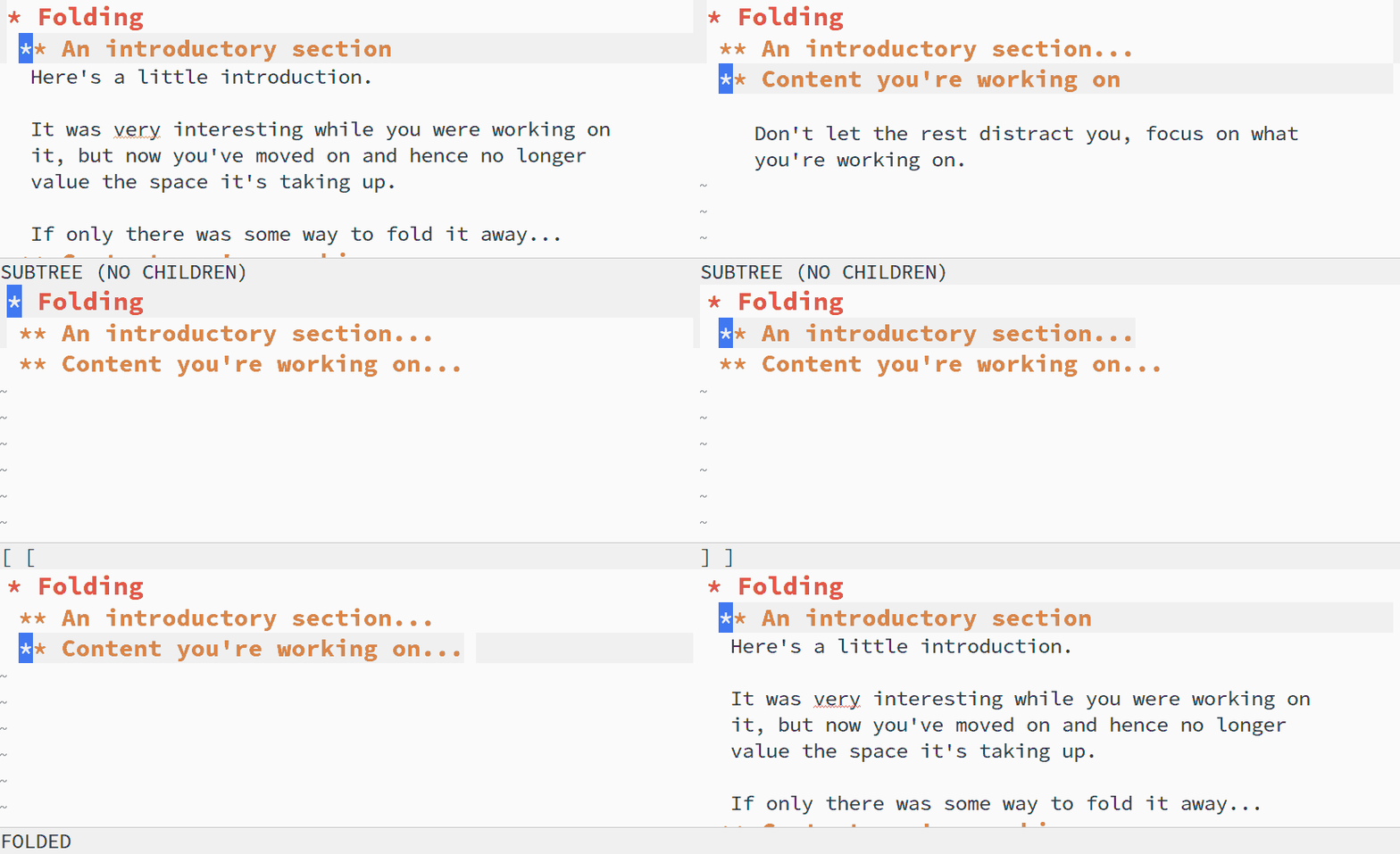
Org mode is great for Stuff. Org mode is an outliner, among other things. A .org file is a hierarchical tree, in which each line of text is a branch. Each branch can become its own sub-tree, with its own branches and so on. As deeply nested as you’d like. This outlining capability alone makes Org mode incredibly powerful when dealing with individual units of information.
So here is how our scenario would play out in Org mode.
Your information will start life as a single line of text, known as a heading in Org mode1. Adding a date under the heading ensures 2 the information will turn up in Org-Agenda3 at some reasonable time in the future.
A couple of days go by and you’ve had time to reflect on the conversation you had on the plane. You also do some research which has surfaced useful information. You make a list under the heading, and add some bulleted notes4. Things are getting a little clearer.
Slowly a plan of action emerges, and now you have a sense of what to do next – you’re going to propose some ideas over email, and then ask for a meeting. In your .org file, you go to the heading, edit the text under it and turn it into an email. You send it out.
Later, you receive a reply. This person agrees with your ideas and would like to meet you. Now you have an upcoming event. You capture the reply email you received into a calendar item, (I like to use a TODO state5 labelled EVENT as well as a tag - event6 to convey that the headline is an event.) You add a deadline date, so it will show up on Org-Agenda, and also let you know a couple of days in advance, so you can prepare for the meeting.
The day arrives and the meeting goes well, and now you have decisions to make and things to do. You turn the event entry into a task with a TODO state. After a while, you realise that the task is too complex and needs to be broken down into smaller pieces, so you create sub-tasks under it, turning it into a sub-tree.
That original task has now turned into a project.

I will stop my contrived example here, but not before I point out that Org mode is so feature rich, it will help you track that original piece of information in its new identity as a project, and then whatever it evolves into after that.
It is so good at managing stuff because it lets you get your information in first. Structure emerges later. Iteratively.
Information flows in, transforms over time and Org mode allows it to be anything it wants to be - a note, or a task, or an event and lets stuff evolve at its own pace.
Notes
Org mode is an outliner, and a heading is a item in an outline. ↩︎
Dates in Org mode are added using timestamps. Org mode supports dates really well. The timestamps can be active (meaning they get picked up by Org Agenda, and are shown on that date) or they can be inactive - a timestamp that is useful for documentation. You can also add deadlines and scheduled times. Org mode supports at least three types of recurring date formats. You can add effort estimates and so on. ↩︎
Think of Org-Agenda as a dashboard that provides filtered views of everything in your Org files. It is an incredibly powerful system that provides fine grained filtering to help you sift through all the information in your system. You can also build custom agendas. I have a few different agendas for all the major areas of work such as general tasks, finance, sales and so on and also a couple for home and personal hobbies. ↩︎
You can add as much text as you like under a heading. It can be running prose, bulleted lists, check boxes, code blocks. Novelists write entire books in a single Org mode file, with headings for each chapter. ↩︎
TODO keywords are a way to label the status of the heading. These keywords could either denote workflow states such as TODO, DOING, DONE. They can also be types that identify types of information, like LOG, MEET, NOTE or MILESTONE or any word you like. These keywords are very helpful to know at a glance what different types of headings are. ↩︎
Tags are exactly what you expect. I use tags sparsely. I have predefined about 30 tags which cover various situations and contexts, to help me filter headings quickly when I am in Org Agenda. ↩︎